

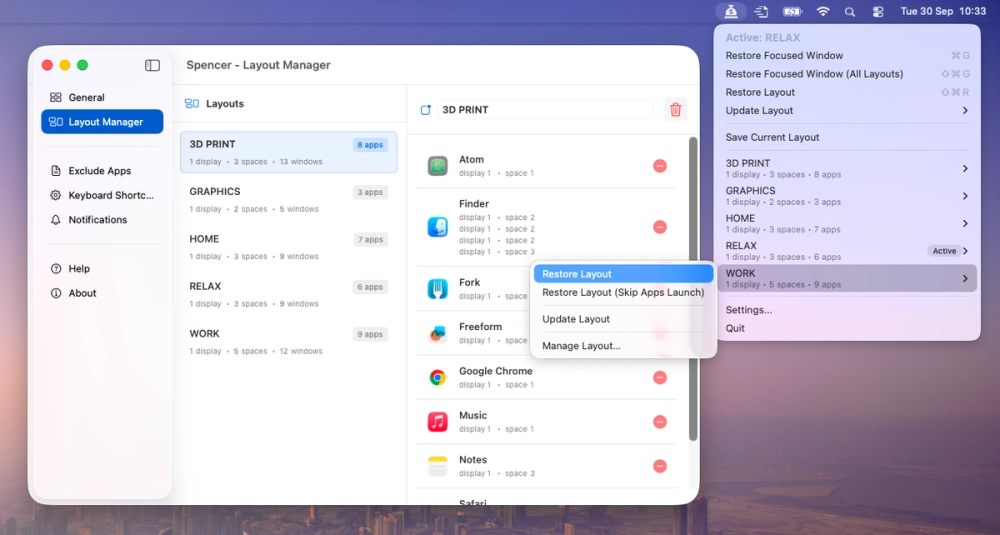
Spencer for Mac is a new window manager with a completely unique approach. It solves the biggest problem with virtual desktops — restoring app windows exactly where they were saved.
It’s especially useful when switching between different display setups (for example, work and home), disconnecting a MacBook from an external monitor, or even after a system restart. The huge advantage is that there’s no need to configure anything — just click Save and then Restore. The whole process takes only a few seconds, and that’s all the user needs to do.
It goes further: Spencer can adjust the number of Spaces depending on your monitor setup or the active workspace. You can switch between custom workspaces (e.g. “Work”, “Meetings”, “Relax”), with the right apps launching, the others hidden, and full multi-monitor support. It’s like having a perfectly organized desktop environment on demand.


